Review Comments (0) Screenshots (0) Questions & Answers (0) Votes (0) Awards (2) Wiki  
SoftCollection
1.15
www.soft-collection.com
Shareware
$7.50
9 people

The download link is unavailable now. Try visiting the developer's home page.

 
Video tutorial for SoftCollection Impulse Counter 1.1
Frame
This video tutorial has been acquired from Downloadtube.com

Review

Description:
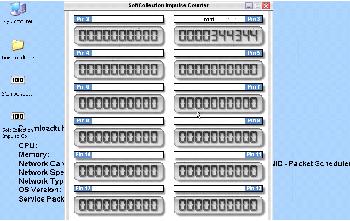
SoftCollection Impulse Counter supports up to 12 counting processes via single Parallel Port.
All you need is to connect a button via 500 Ohm resistor between Parallel Port's ground (pins 18-25) and pin, whose number appears above the counter (for example pin 2 for Boring mill).
You may set a name for a desired counter. Each counter remembers it's current number and will continue from this number, after a computer has been turned on next time.
The counters will be able to process 20 counts per second and will programmatically prevent contact bounce consequences.
Features:
* May be placed everywhere on the screen.
* May be hidden or shown by single mouse click on systray icon.
* May be set to be always on top of other windows.
* Has an option "Run automatically when windows starts".
* Automatically remembers last state.
* If the counter is near the edge of the screen it gravitates to it.
Report a wrong version Report a wrong program title Suggest a correction

Latest comments


There are no comments, be the first one!
Add new comment

E-mail Address:

Password:

Register now »

Forgot password?

Sign in with:
Download Software Informer Client
Copyright © 2012, Informer Technologies, Inc. About| Privacy and terms| Help| Feedback & Support| Partners program